review and liquid metal misadventure ft. ASUS ROG Z13 Flow (2025 ed.)
stoots took this tablet apart in November 2025 to preempt the possibility of liquid metal seeping out and causing damage.
If not that issue, then certainly the other one involving many an anecdote about other ASUS laptop owners suffering increases in temperature over time resolvable only by replacing the liquid metal with a phase change material (e.g. Honeywell PTM7950 or its innumerable, questionably-supplied cuts across the Internet).
After all, it spends most of its time vertical or close to it, unlike a standard laptop whose motherboard is positioned closer to the horizontal plane.
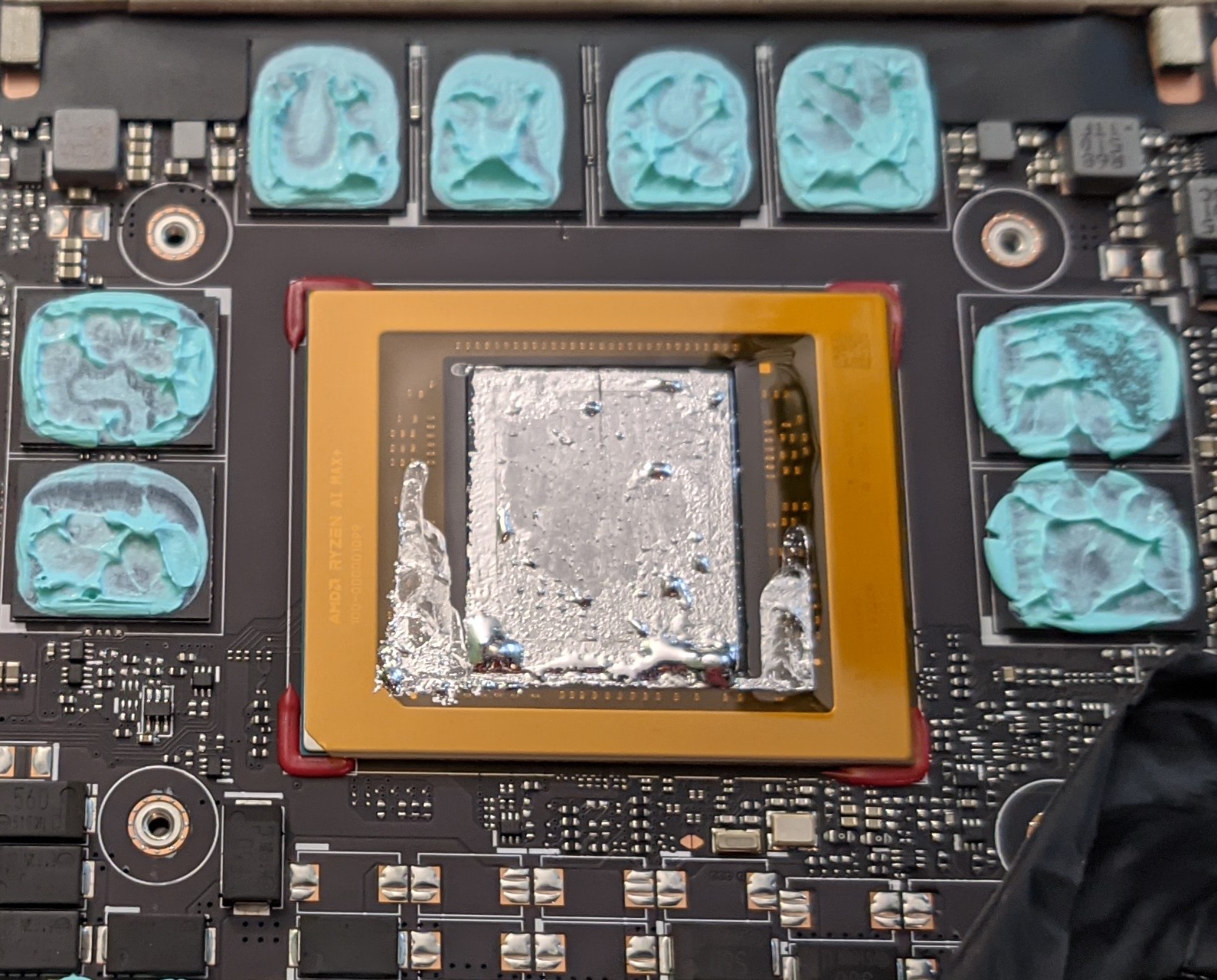
(The bottom of the tablet is toward the bottom of the image.)
a demonstration on how well liquid metal spreads
Consider this close-up shot of a droplet of liquid metal on the APU. The droplet in question is just slightly right of centre, next to three SMD components. stoots’ll even put a thumbnail-grade annoying arrow to it:
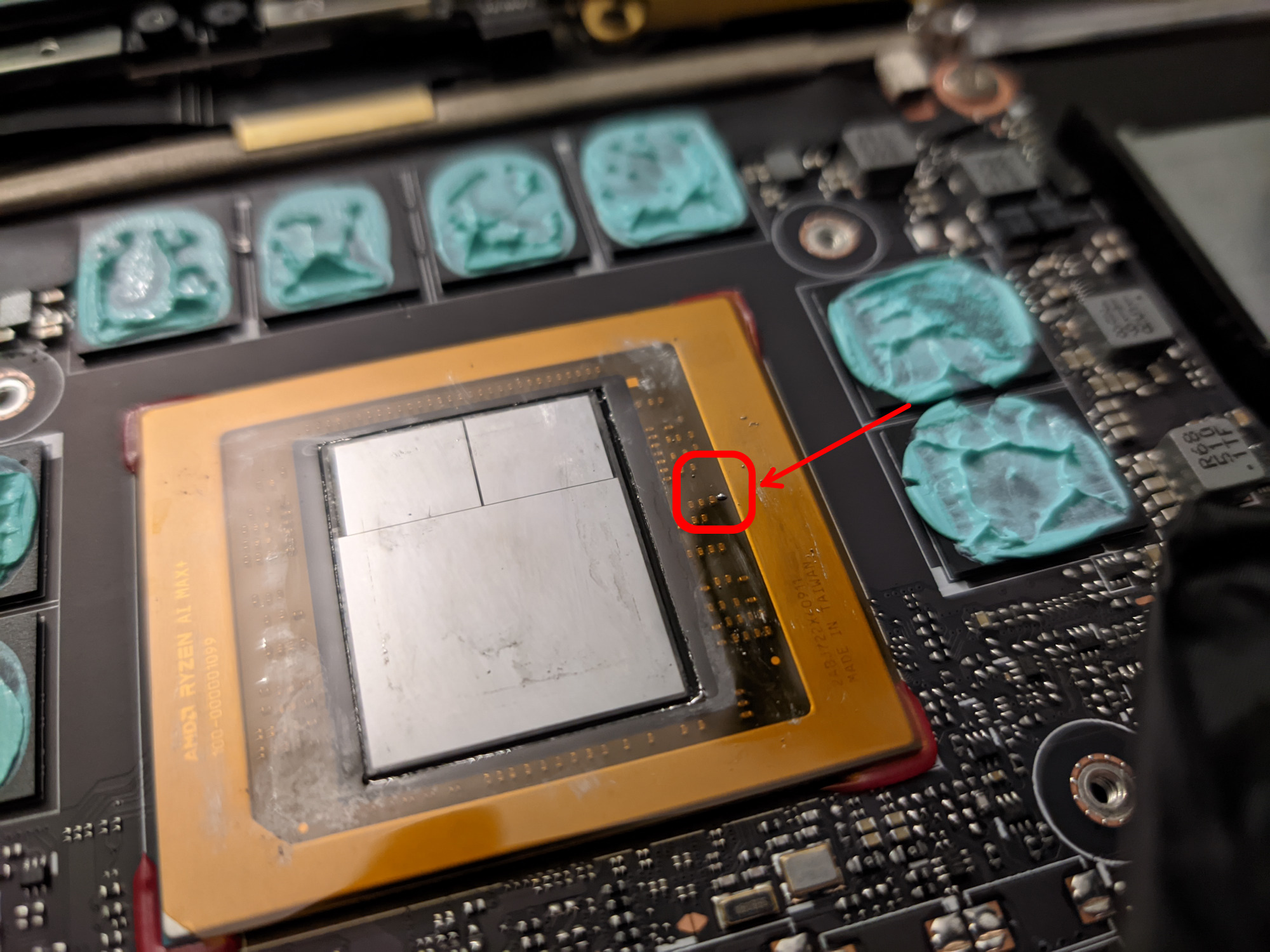
Afterwards, a cotton swab was used to “paint” the metal to spread it out, as if one were to apply it normally to the dies or paint fingernails. About one minute elapsed between the camera shots.
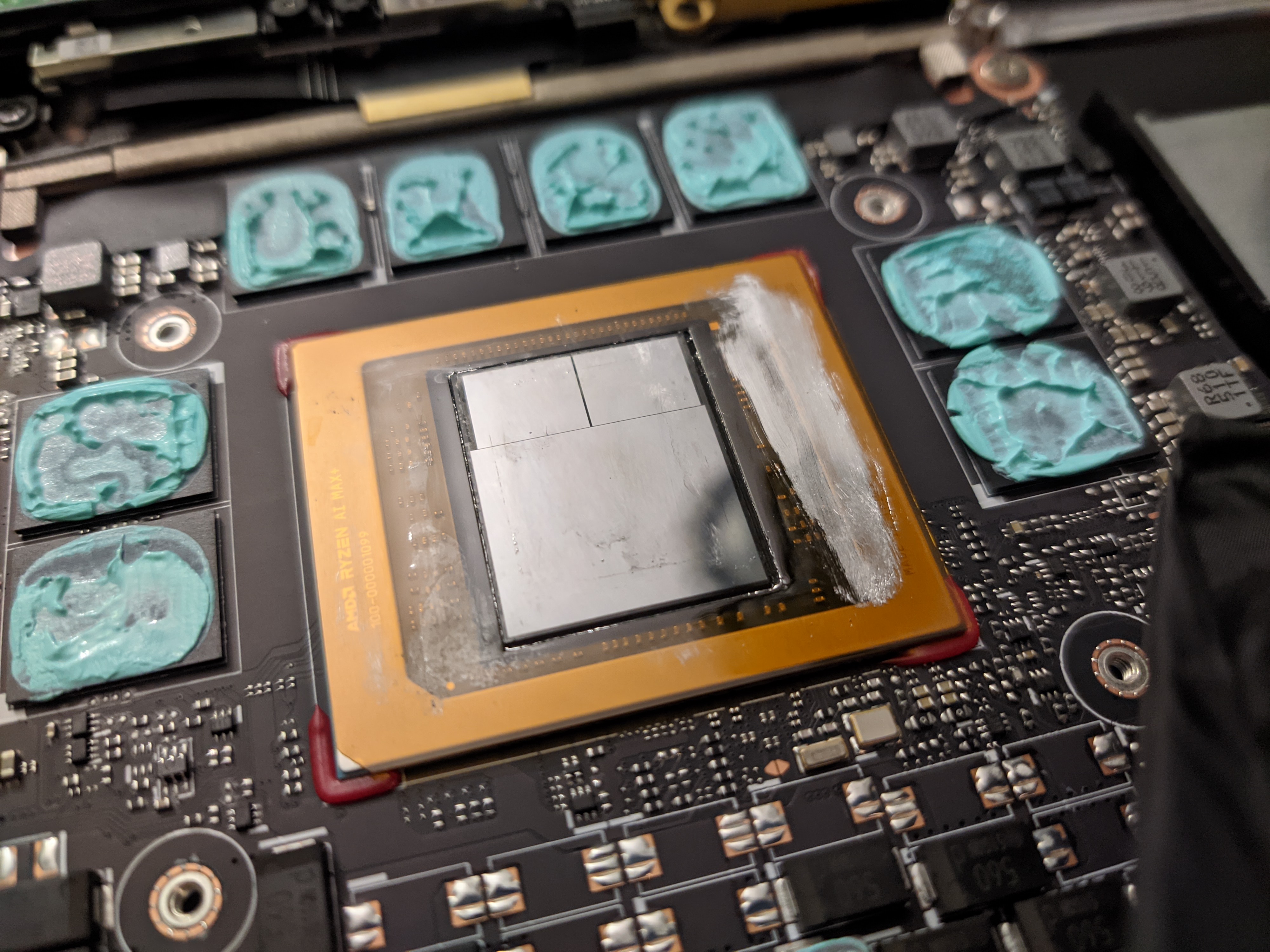
stoots put the first image here again. Now repeat that process with THIS MUCH liquid metal:
Pick a droplet (or an already spread-out area, at first)
Paint it round.
Scoop it back up onto the swab.
Pick a droplet.
Paint it round.
Scoop it back up onto the swab.
Pick a droplet.
Paint it round.
Scoop it back up onto the swab.
…
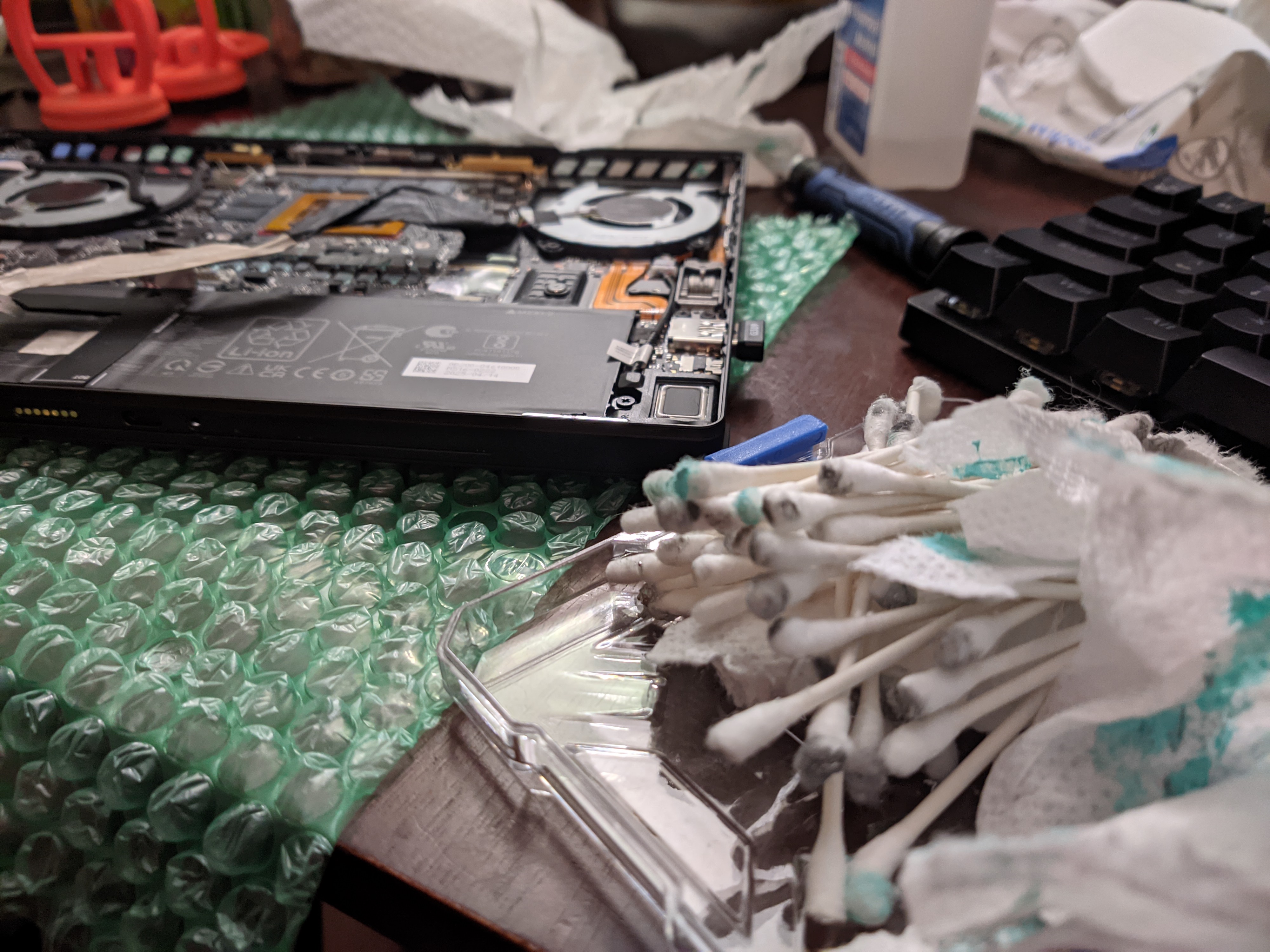 Timestamps between the images suggest that it took about 100 minutes of constant effort.
other thoughts about this laptop
the thermal gap filler on the VRMs and LPDDR5x
It’s barely sufficient to cover the entire tops of the packages. While it was not a problem for the first few months stoots had it, stoots does wonder if there is enough tolerance in the process that some units could go not-covered enough, causing RAM overheating.
M.2 2230 slot is unforgivable in a laptop that costs this much
Many 12 to 14" class laptops are able to fit a full-sized M.2 2280 SSD inside, with which one could put 8TB of decent TLC storage per slot.
Many options for this exist now, from Phison reference SSDs (Sabrent Rocket 4 Plus) to internally designed options from Sandisk (WD SN850X and rebadges) and Samsung (9100 Pro).
But by restricting the SSD to just a 2230 size, three problems present:
- All 2230 SSDs don’t have a DRAM cache.
- The maximum capacity of TLC NAND SSDs in this form factor is just 2TB as of writing.
- stoots doesn’t like to use QLC NAND.
At least replacing it with something else is easy enough; a single Torx screw removes the cover at the bottom of the laptop, followed by a Philips screw that holds the SSD to the chassis.
the SSD replacement
stoots placed a Corsair MP600 Mini to upgrade the laptop from its stock 1TB SSD to a 2TB option. This is the Phison E27T version:
stoots@fedora:~$ lspci | grep NVM
c3:00.0 Non-Volatile memory controller: Phison Electronics Corporation PS5027-E27T PCIe4 NVMe Controller (DRAM-less) (rev 01)
It writes at 700MB/s on a good day after caches are exhausted. It’s slower in day-to-day use than the 2TB skHynix PC801 (Solidigm P44 Pro / Hynix P41 Platinum) that stoots was using in a different laptop.
As for storage expansion that isn’t M.2, you get a microSD card slot that reads at 80MB/s. Don’t bother to rely on it for more than removable storage tasks for other devices.
the back camera
ASUS includes a shooter on this laptop. Surprisingly, it’s not horrible, but the maturity of image signal processors in PCs in general for this purpose is eons behind even a basic Android phone.
Good for candid info-gathering while it lasted, since it currently isn’t working in Linux.